Search, read, and cite what was said. No coding.
The explorer is an application that opens in your browser. You choose a country's file, and the database is built on your computer. There is no account, no installation, and no server.
It opens in your browser; nothing leaves your computer.
The explorer's interface is in Spanish only today. Search runs on each chamber's original text, in Spanish or Portuguese.
First, find
What was said about this?
It searches the full text of all interventions: a word, an exact phrase in quotation marks, or several combined. It does not distinguish accents or capital letters.
Who, when, from which group?
It filters by date, legislature (the term each Record prints), session type, party, sex, district, and length of the intervention. “Solo lo que se habla” (Speech only) leaves out cover pages, tables of contents, and roll-call vote lists.
At what point in the debate?
Each intervention is read as a page of the Record, with those that precede and follow it, or with the whole session. The applause, the murmurs, and the calls to order that the Record noted are marked.
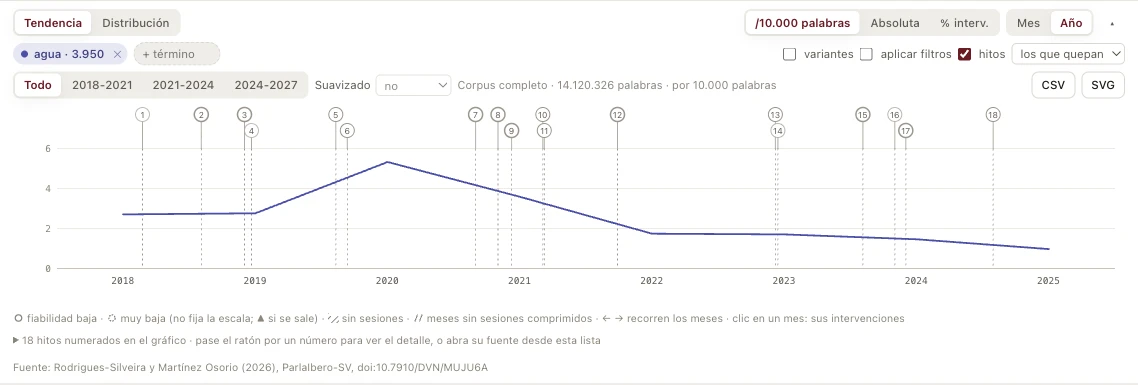
When was this discussed?
It draws the frequency of several terms by month or by year, with the country's historical milestones on the chart: 751 across the sixteen chambers, each with its source.
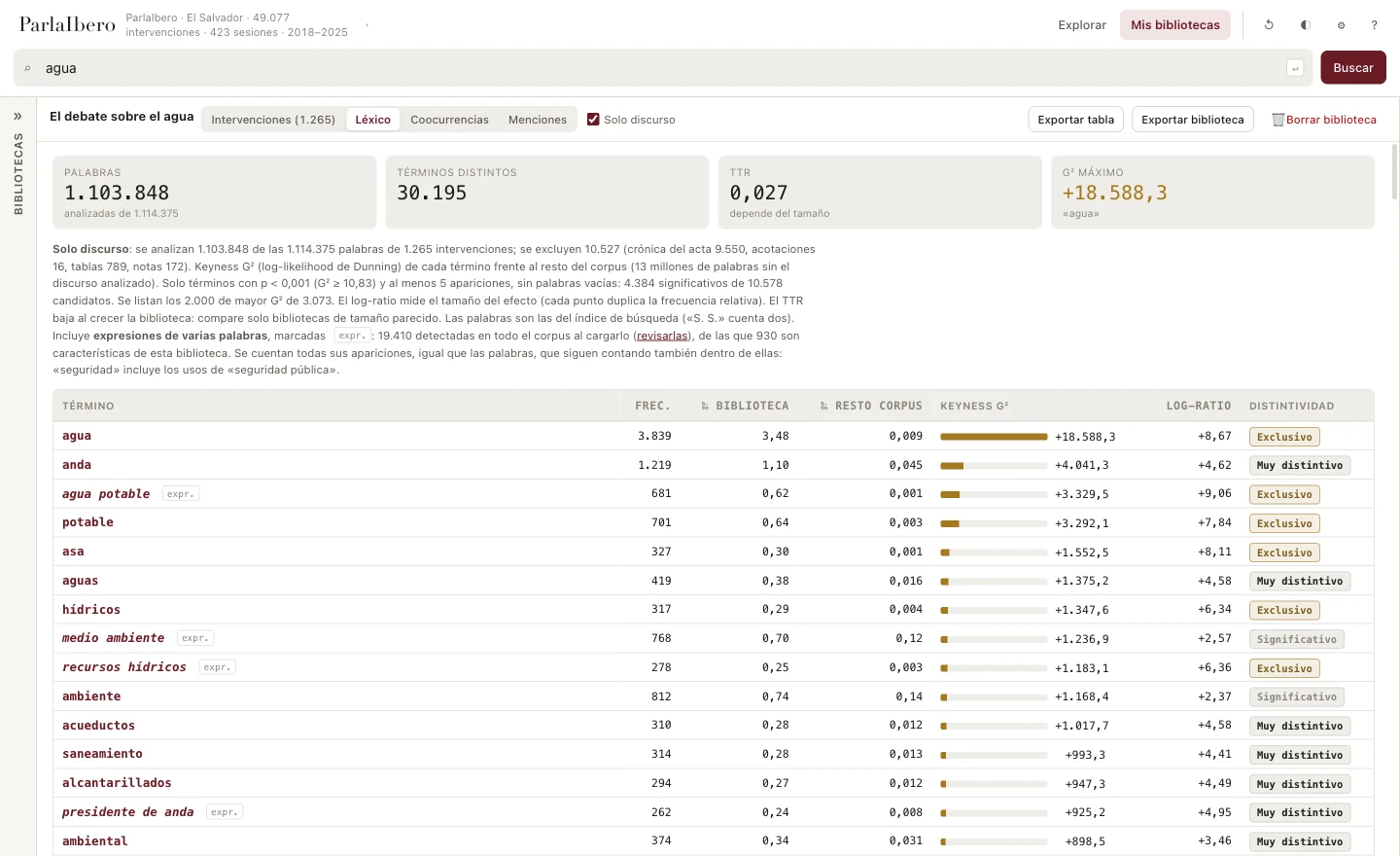
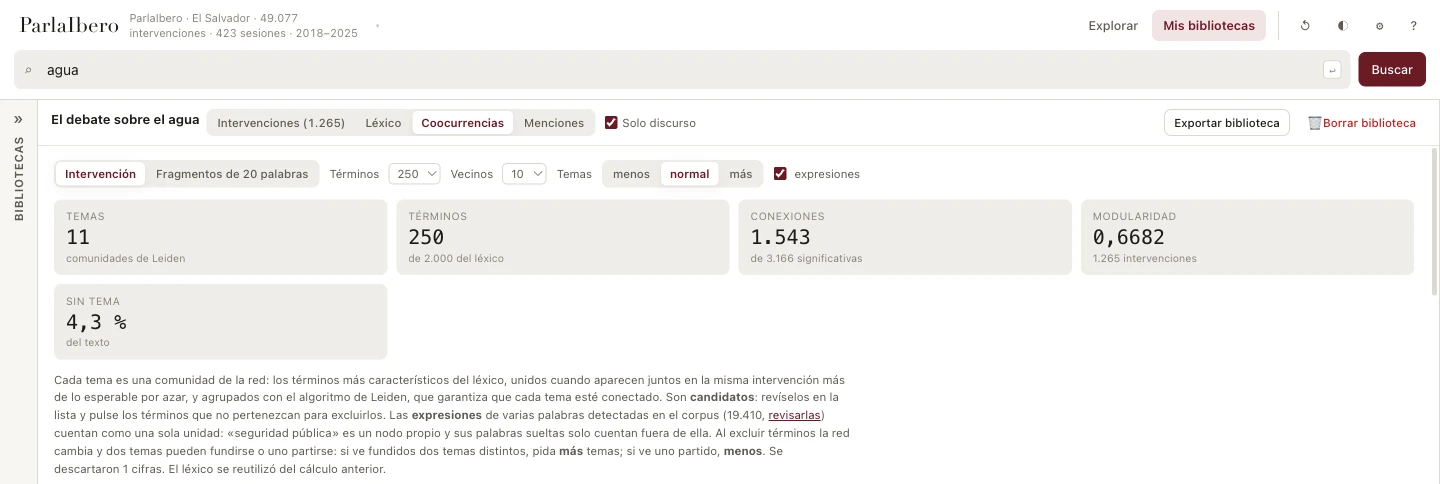
The images show the explorer with El Salvador and a library on the water debate.
Then, focus: “Bibliotecas” (Libraries)
A whole corpus is not a question. A library is.
A library is your own selection of interventions on an issue: everything that was said in the plenary about a law, a crisis, or a policy. You gather it with a search, refine it by reading, and save it with your notes and your tags.
It serves two kinds of work. For those who do research, it is the subset for their topic: the material on which to measure. For those who follow a chamber's agenda, it is the dossier on a debate: who spoke, when, and in what terms.
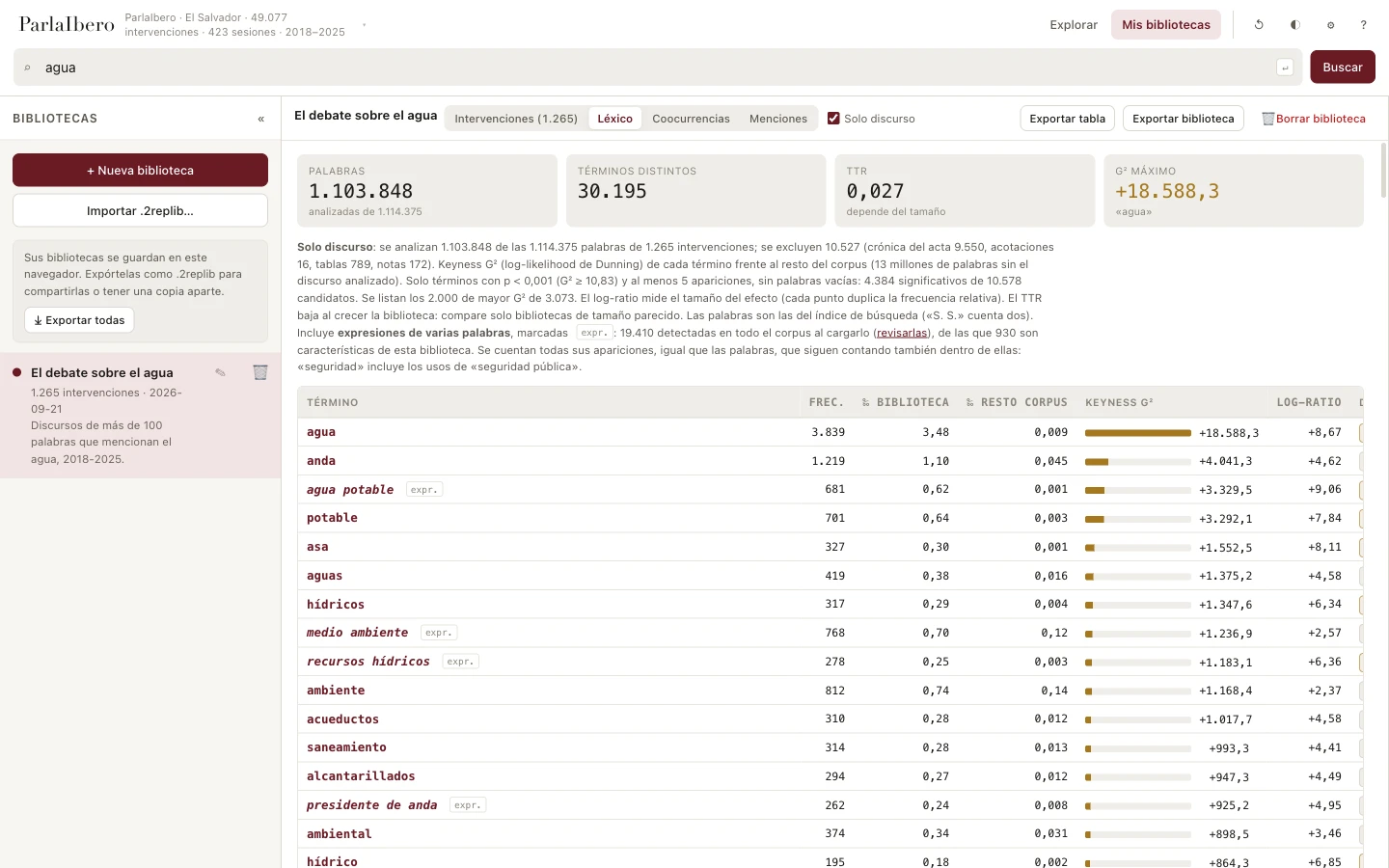
From that moment on, the library is the unit of analysis. You search within it, read it straight through, and calculate on it the vocabulary that distinguishes it from the rest of the corpus, its topics, and who mentions whom.
It is saved in your browser, separately from the database: updating the data does not delete your work. To share it with a colleague or keep a copy, export it to a file.
“Coocurrencias” (Co-occurrences): what is discussed within a debate
Which words appear together? The explorer takes the library's characteristic vocabulary and calculates which terms recur in the same interventions. Where that network clusters, it proposes a topic.
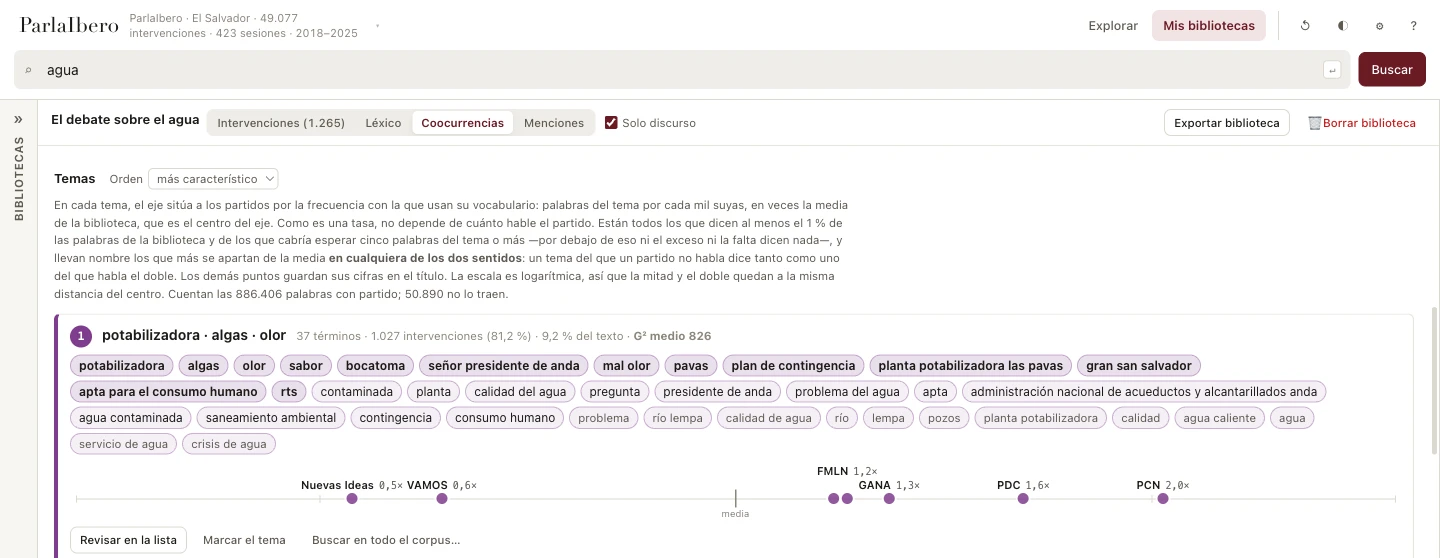
Each topic comes with its terms, the interventions where it appears, and the share of the text it occupies. They are candidates: you review them, remove the terms that do not belong, and, if one deserves its own study, turn it into a new library.
Within each topic, an axis places each party according to how much it uses that vocabulary, above or below the average. It is an axis of topics, not an ideological axis.
The method is in plain view, with its parameters, and it is reproducible: the same parameters give the same result. The network of terms is not drawn on screen: it is exported, to be drawn and analyzed elsewhere.
“Menciones” (Mentions): who talks about whom
In a debate, speakers name one another. The explorer recognizes those mentions and draws the network: who mentions whom, and how much. It can be grouped by party or by the conversation clusters that the network itself forms.
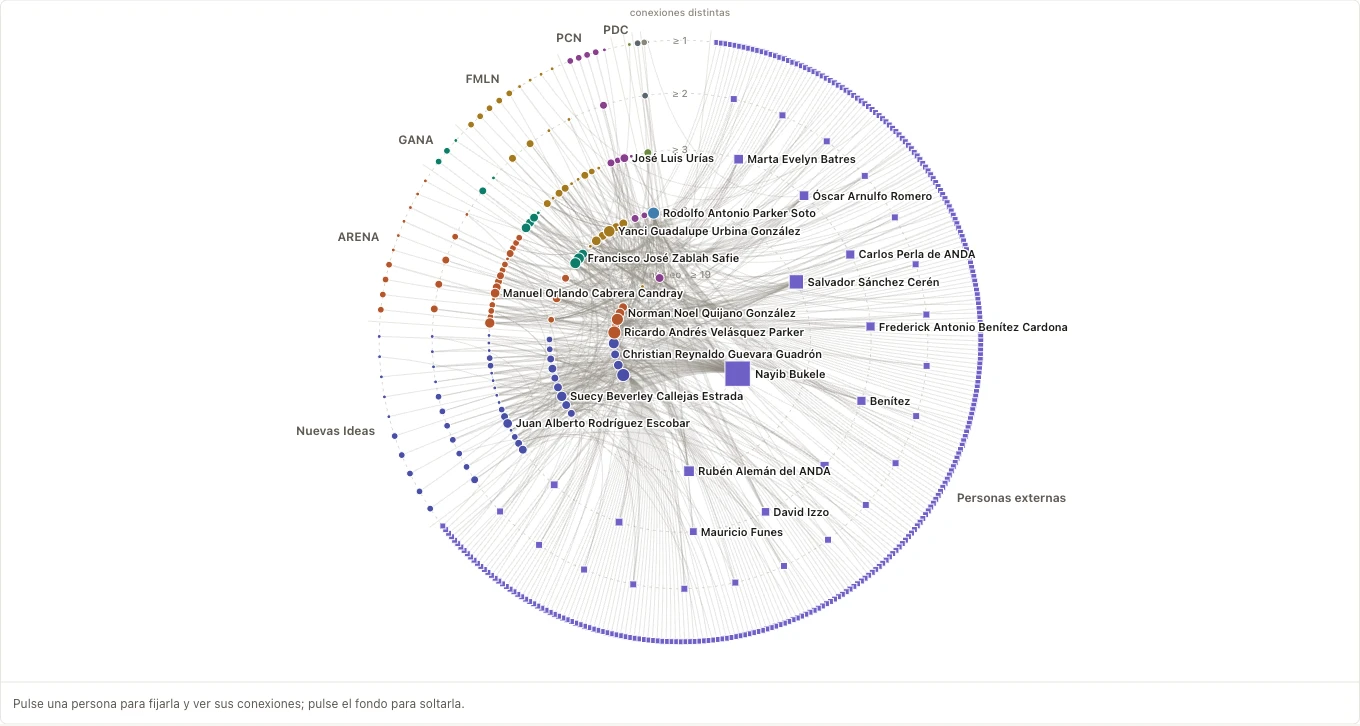
Several readings follow: who is named most, who does the naming, the two-way dialogues, and a table between parties showing how much each party mentions each party per ten thousand words.
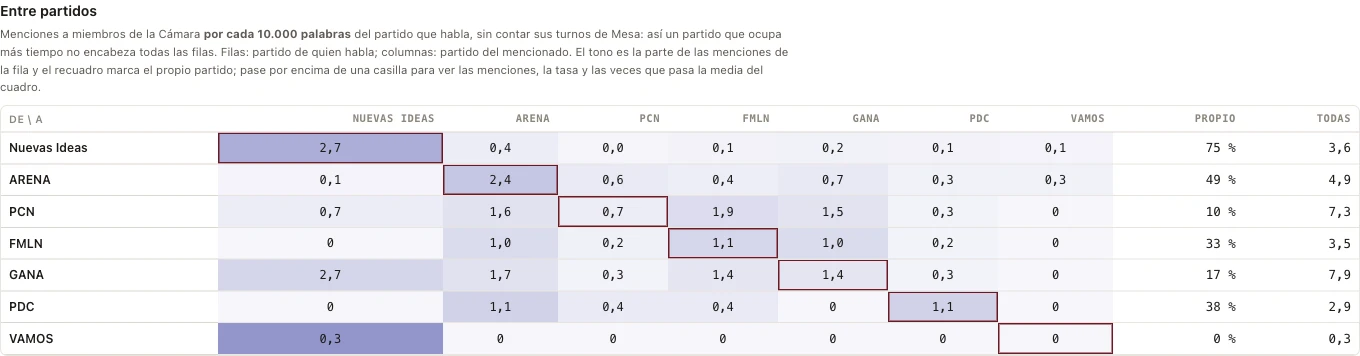
It says who talks about whom, not whether they speak for or against them. The clusters are not coalitions. Reviewed by hand, 87.5% of the mentions it recognizes are correct; those it misses—“su señoría” (the honorable deputy), “quien me ha precedido” (the previous speaker)—are not counted.
And take it with you, cited
It exports to CSV, to a readable document, to JSON, and to a list of references. Everything carries the dataset's citation and its DOI. Even a passage copied with the keyboard takes its source with it.
How to start
Download a country's file. To try it, El Salvador: 98 MB. The heaviest reach 1.5 GB.
Open the explorer and drag the file into it. There is no need to decompress or convert anything.
Wait for the database to be built. The explorer tells you how much memory it needs and how much time is left. If your browser allows it, the explorer remembers the database: next time, it opens by itself.
In our tests, run outside the browser with the same engine, El Salvador was ready in 3.7 s. Brazil, the heaviest of those measured, in 82 s. On your computer it can take longer.
Download from Dataverse. Opens in Harvard Dataverse.View the countriesOpen the explorer
The explorer's interface is in Spanish only today. Search runs on each chamber's original text, in Spanish or Portuguese.
What it requires, and what it does not do
It requires a computer, not a phone, and a recent browser: Chrome/Edge 112+, Firefox 116+, Safari 17+.
The explorer opens one country at a time, is in Spanish only today, and requires a recent browser.
It does not compare countries on a single screen. It does not classify by a list of topics fixed in advance, and it does not measure tone: it counts words, not intentions. And it searches for the word exactly as you type it: for its variants, combine them.
The text comes from the automatic extraction of the Records, and it can carry errors from optical character recognition (OCR).
Derived edition for research: in case of any discrepancy, your chamber's Record prevails.
What stays on your computer
The file is read on your computer and is not uploaded anywhere. Your libraries and the database are saved in your browser, not on a server.